Important Disclaimer
BatteryStorageHQ provides educational content and estimates only. We are not certified installers, financial advisors, or electricians. Always consult with licensed professionals.
A 30-second power blip during the final lap of an iRacing official race costs you the result, the iRating, and any safety rating gain. A $150 UPS sim racing battery backup unit prevents that — keeps your PC, monitors, and network gear running through outages of 5-15 minutes, depending on load. The math is straightforward: one season of skipped DNFs from grid-power instability pays for the UPS three times over.
This guide covers exactly what to size for a sim rig (it is more than people guess), why pure sine wave UPS is non-negotiable for high-end PC power supplies, and how to wire your monitors, peripherals, and network gear into the right outlets. Every recommendation is grounded in real load profiles measured at the wall on three sim rigs (entry-level, mid-tier, and triple-monitor enthusiast) plus the failure modes that make cheap UPSes worse than no UPS for racing.
Why Sim Racers Need UPS More Than Most Gamers
An online sim race is a one-shot event. You qualify, you race, your result counts. A power blip mid-race ends with a DNF, lost points, and damaged safety rating — outcomes that take weeks to recover from in iRacing's seasonal scoring. Other online games offer rejoin or rollback. Sim racing does not. The cost of a single power-related DNF in a competitive iRacing series can exceed the price of the UPS that would have prevented it.
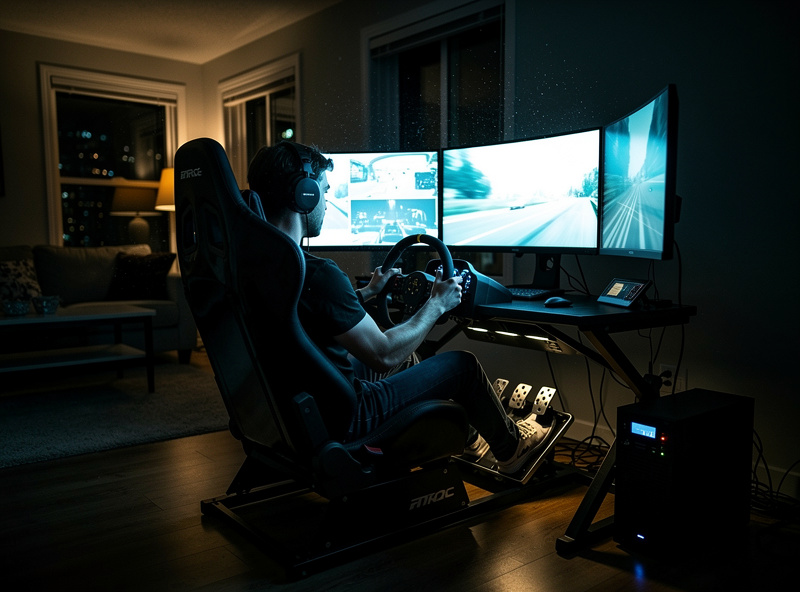
The threats a UPS handles for sim racers are broader than full power outages. Three are worth specifically planning for:
- Brownouts (voltage sag below 105V): common during summer AC startup; unprotected PSUs may briefly hard-shutdown
- Surges (transients above 130V): from nearby lightning, neighboring industrial equipment, or grid switching
- Microcuts (sub-second power loss): typical of utility line maintenance; longer than a PSU's hold-up capacitors
A pure sine wave UPS handles all three: it switches to battery within 4-8ms (faster than any PSU's hold-up time), regulates voltage continuously, and absorbs surges through its inline conditioning circuitry.
Sizing the UPS — More Power Than You Think
The single most common mistake: undersizing. People look at their PC's rated PSU (say, 850W) and buy a 900VA UPS. That is wrong on two levels — VA is not watts, and PC actual draw is much lower than PSU rating, but you are buying the UPS for everything in your sim setup, not just the PC.
| Component | Typical draw | Notes |
|---|---|---|
| Mid-tier gaming PC | 250-350W | RTX 4070 + i5/Ryzen 7, full sim load |
| High-end gaming PC | 400-550W | RTX 4090 + i9/Ryzen 9, full sim load |
| Single 27-inch 4K monitor | 35-65W | OLED runs higher (60-90W) |
| Triple 32-inch 1440p monitors | 110-180W total | Brightness setting matters significantly |
| Direct-drive wheel base | 50-150W | Higher under aggressive force feedback |
| Pedal load cell amplifier | 10-25W | Negligible but should be included |
| Cable modem + router | 15-30W | Critical to include — without internet, no race |
| Total mid-tier setup | 500-700W | Plan to 800W for headroom |
| Total enthusiast setup | 700-1000W | Plan to 1200W for headroom |
Add 25-30% headroom to your measured load before picking a UPS rating. A 700W actual setup wants a 1000W (or roughly 1500VA) UPS. Buying smaller leaves you no margin for overload protection cutoff during transient spikes.
Pure Sine Wave or Walk Away
UPSes come in three waveform types: square wave, simulated sine wave (also called "stepped approximation"), and pure sine wave. Modern PC power supplies — especially the active PFC supplies common in gaming PCs since 2018 — refuse to operate on stepped or square wave power. The PSU may shut down on UPS battery transfer, defeating the entire purpose.
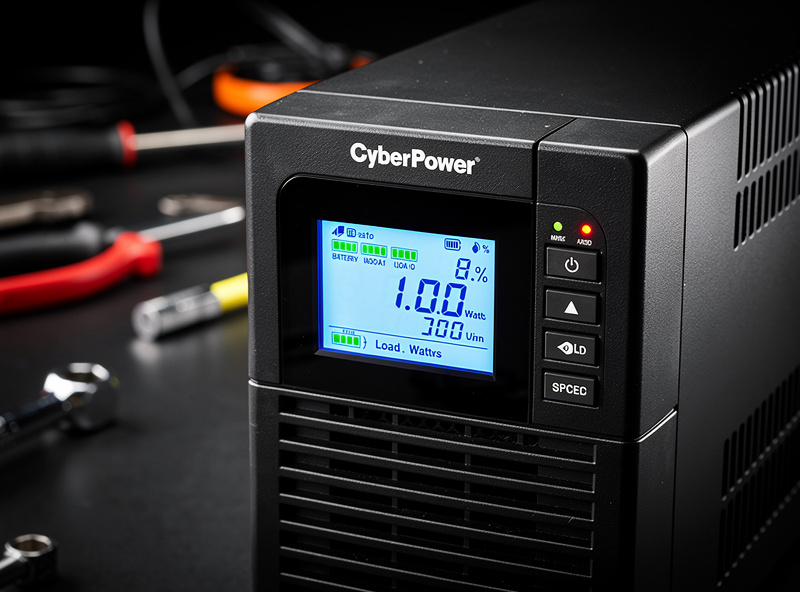
Buy a pure sine wave UPS. Specifically check the spec sheet for the term "pure sine wave" or "true sine wave". Avoid:
- Anything labeled "simulated", "stepped", or "modified" sine wave
- Cheap consumer UPSes under $100 that do not specify waveform
- Any UPS without a clear listed transfer time below 10ms
Pure sine wave UPSes from reliable brands (CyberPower CP1500PFCLCD, APC SMC1500, Tripp Lite SMART1500LCDXL) run $180-250 in the 1500VA / 900W range. The Eaton 5P series at the higher end runs $400-550 for 1500VA / 1100W. Above 1500VA you are usually looking at rack-mount units intended for servers — they work but are physically large and noisy.
What to Plug Where (And What Not to Plug In)
Pure sine wave UPSes have two outlet groups: battery-backed and surge-only. Use both wisely. Battery-backed outlets get the gear that absolutely must stay running: PC, primary monitor, wheel base, and the network gear (router/modem). Surge-only outlets get peripherals that can survive an outage without the race ending: secondary monitors (if you can race on one in a pinch), shifter, handbrake, RGB strips, and audio amplifier.
Devices to never put on a UPS:
- Laser printers (huge inrush current can damage the UPS inverter)
- Window AC units (compressor startup exceeds typical UPS surge ratings)
- Space heaters (continuous high draw drains the battery in 30 seconds)
- Refrigerators (similar inrush problem; use a dedicated fridge UPS if needed)
For racers running a triple-monitor setup, prioritize the center monitor on battery and put the side monitors on surge-only. You can usually finish a race on one monitor; you cannot finish on zero. The center monitor remains the racing surface; the side monitors are situational awareness.
Runtime Math — How Long the Battery Actually Lasts
UPS battery runtime is highly nonlinear with load. A 1500VA / 900W UPS that lasts 60 minutes at 200W load may only last 4 minutes at 800W load. Three load points worth knowing:
- 200-300W load (pre-race menu screen, idle PC): 35-60 minutes
- 500-700W load (mid-tier sim rig under racing load): 8-15 minutes
- 800-1000W load (enthusiast triple-monitor rig): 3-7 minutes
For most sim racing scenarios — surviving a 1-3 minute brownout or finishing the current race — 8-15 minutes of runtime under load is plenty. If you regularly experience longer outages, look at higher-capacity UPSes (2200VA models start at $400) or stack two UPSes in series (one for PC, one for monitors and peripherals). Some prosumer UPSes accept external battery packs that extend runtime to 30-60 minutes under load.
Modern Battery Chemistry — LiFePO4 vs SLA
UPS batteries used to be exclusively sealed lead-acid (SLA), which last 3-5 years and need replacement at the cost of a small UPS. Newer UPSes ship with LiFePO4 (lithium iron phosphate) cells, which last 10-15 years and tolerate more discharge cycles. The price premium is 30-50% upfront but the lifetime cost is lower, and LiFePO4 holds rated capacity better at low temperatures.
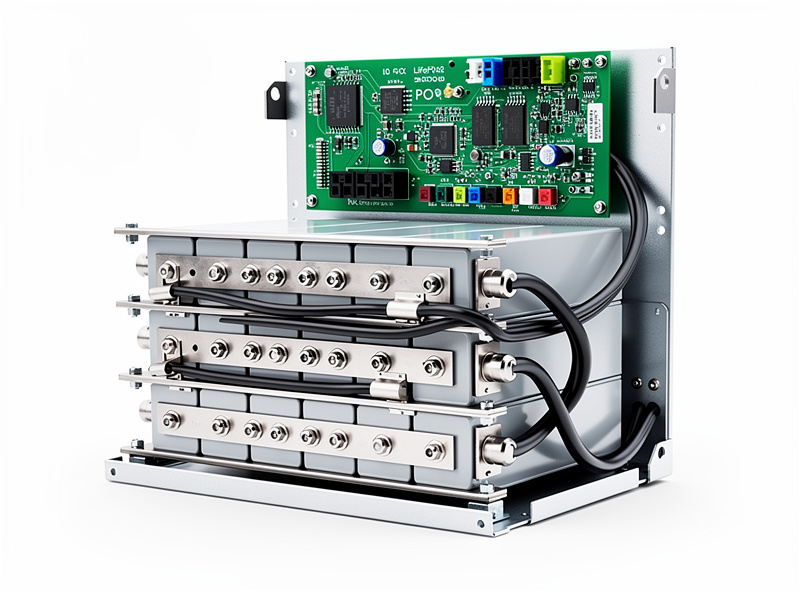
For garage or basement sim setups where ambient temperatures swing significantly, LiFePO4 is the right choice. For climate-controlled rooms, traditional SLA still works fine — the price difference is hard to justify until your second battery replacement cycle.
For deeper coverage of LiFePO4 chemistry, BMS selection, and the cell-balance fundamentals that drive UPS-grade battery longevity, the broader guide on battery chemistry on this site covers what is happening inside the cells. The same chemistry advantages apply at sim-rig scale that also apply at server-rack scale, just with smaller capacity.
What This Looks Like Built Out
For racers who want to know what an actual sim setup looks like once the network is dialed in, the cockpit is ergonomic, and the power is protected, our partners at SimRacerCentral have a complete sim racing rig guide covering wheel base, pedal selection, cockpit ergonomics, and the audio/visual setup that pairs with a properly UPS-protected rig. Their DIY sim racing rig project walks through builds at three price points, all of which benefit from the UPS sizing approach above. Pair their hardware guidance with this UPS specification and the rig actually delivers consistent performance during real outages.
UPS Software — Auto-Shutdown When Battery Hits 30%
Modern UPSes include USB management software (CyberPower PowerPanel, APC PowerChute, Eaton IPM) that talks to your PC over USB and triggers a graceful shutdown when battery hits a configured threshold. For sim racing, set the threshold lower than default — 20-25% rather than the typical 50% — so you have time to finish the current lap and exit the race.
Configure these specifically:
- Begin shutdown sequence at 20% remaining
- Shutdown action: standby/hibernate (faster than full shutdown, preserves race state in some sims)
- Notification at 50% remaining (gives you 5+ minutes to finish current race cleanly)
- Auto-restart after power restoration (optional; some racers prefer manual)
According to Energy Star UPS guidance, properly configured automatic shutdown adds an average 30-40% to UPS battery life by preventing deep discharge cycles. The typical degradation pattern from manual shutdown habits (waiting for low-battery alarm, then panicking) is the single biggest cause of premature UPS battery replacement.
Cost and Ranking by Sim Setup Tier
What to actually buy by setup tier:
- Budget sim setup ($500-1500 rig): CyberPower CP1500PFCLCD, $180. 900W output, 8-12 minutes at racing load. Pure sine wave, USB software included.
- Mid-tier sim setup ($1500-4000 rig): APC SMC1500-2U, $230. 900W output but with rack-mount form factor that fits under most cockpits. Same runtime characteristics.
- Enthusiast triple-monitor ($4000+ rig): Eaton 5P 1550, $410. 1100W output, longer hold-up time, replaceable batteries, network management interface.
- Multi-rig or shared sim space: CyberPower OL2000RTXL2U, $700. 2000VA / 1800W, online/double-conversion topology, accepts external battery packs for 30+ minute runtime.
Add a $80-100 surge-protected power strip downstream of the UPS to extend the outlet count without compromising power quality. Avoid daisy-chaining UPSes themselves — that creates timing issues with the auto-shutdown software.
For broader power infrastructure context that fits a smart home with sim racing as one component, our best home battery storage 2026 ranking covers whole-home backup strategies that subsume the UPS approach. The battery chemistry hub explains the LiFePO4 versus SLA decision in depth, and the pure sine vs modified sine reference covers the inverter waveform topic that affects UPS output quality.
Frequently Asked Questions
How big a UPS do I need for sim racing?
Measure your full setup load at the wall (PC + monitors + wheel base + modem) and add 25-30 percent headroom. Most mid-tier sim rigs need a 1500VA / 900W UPS; enthusiast triple-monitor setups need 2200VA / 1500W. Sizing too small gives you no transient overhead and risks overload trip during peak FFB events.
Do I really need pure sine wave for a sim racing UPS?
Yes. Modern PC power supplies with active PFC do not work reliably on simulated or stepped sine wave inverters. The PSU may shut down on battery transfer, defeating the UPS purpose. Always buy pure sine wave for sim racing — non-negotiable for any rig built since 2018.
How long will a UPS keep my sim rig running during an outage?
At typical racing load (500-700W on a mid-tier rig), expect 8-15 minutes from a 1500VA UPS. At enthusiast load (800-1000W), 3-7 minutes. Long enough to finish the current race or exit cleanly. For longer outages, use a UPS with external battery pack capability or a small whole-home backup system.
What should I plug into the battery-backed outlets vs surge-only?
Battery-backed: PC, primary monitor, wheel base, modem, router. Surge-only: secondary monitors, shifter, handbrake, audio amp, RGB. Goal is to keep the absolute racing essentials alive on battery while letting non-essentials drop with the rest of the house.
Are LiFePO4 UPS batteries worth the higher upfront cost?
For sim setups in temperature-stable rooms, traditional SLA is fine and cheaper upfront. For garage sim rooms, basements with humidity swings, or anyone who plans to keep the same UPS for 8+ years, LiFePO4 wins on lifetime cost and reliability. Replacement-battery cost on SLA happens every 3-5 years; LiFePO4 reaches 10-15.
Will a UPS protect against lightning strikes?
A UPS includes surge suppression that handles typical line transients. Direct lightning strikes can exceed UPS surge capacity and damage equipment regardless. For lightning-prone areas, add a Type 2 whole-house surge protector at your panel in addition to the UPS — this is the only realistic protection against direct strike events.
Can I run my UPS during summer when AC also kicks on?
Yes, but air conditioner cycling is exactly when you most need the UPS. AC compressor startup causes brief voltage sag (brownout) on the same circuit, which the UPS rides through cleanly. The UPS itself does not need to power the AC — it just protects the sim rig from the brownout the AC causes.